
Improve the documentation
The documentation you are reading is a website built with Astro and Starlight. Its pages are Markdown files in the allcontributors.org repository, so improving a page means changing a file and opening a pull request. You can do that entirely in the browser for a small fix, and on your computer when you want to see the result or change several pages.
Edit a page on GitHub
Section titled “Edit a page on GitHub”Every page has an “Edit page” link near the bottom that opens the file on GitHub. Click the pencil icon to edit the file in the browser, and GitHub offers to create a branch in your fork and open the pull request when you save.
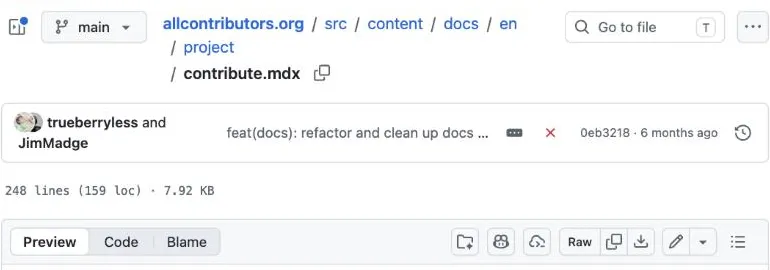
Where pages live
Section titled “Where pages live”The pages are in src/content/docs/en, and each page’s address follows its location in that folder: topic/group/page. The topics are the tabs at the top of the sidebar, which are App, CLI, Configuration and Project, and the groups are the headings inside a topic. For example, src/content/docs/en/app/guides/usage.mdx is the page at /en/app/guides/usage.
The sidebar is defined in configs/sidebar.config.ts. A new page doesn’t appear in the sidebar until you add its path to that file, in the group where it belongs.
Only the English pages are edited by hand. The other languages are translations that come from Crowdin, as described in Translate the documentation.
Run the site on your computer
Section titled “Run the site on your computer”-
Install Node.js and pnpm
The repository pins the Node.js version in its
.nvmrcfile, which is Node.js 26. It uses pnpm as its package manager, so install that as well. -
Install the dependencies
Fork the repository and clone your fork, then run this in the folder:
pnpm install -
Start the development server
pnpm start -
Open the site
Go to
http://localhost:4321in your browser. The page reloads when you save a file.
Check your changes
Section titled “Check your changes”The repository runs a few checks on every pull request, and you can run them yourself before you push.
The linter is ESLint, and it checks the configuration of the site, the scripts, the JSON and YAML files and the repository’s Markdown files. It needs the generated types, so run pnpm sync once before the first lint. pnpm lint reports problems, and adding --fix repairs the ones it can repair on its own:
pnpm syncpnpm lintpnpm lint --fixThe link check makes sure that no link in the built site leads nowhere. It uses Lychee, which you need to install separately, and it runs against the built site, so build first:
pnpm buildpnpm link-check-offlineSetting the CHECK_LINKS environment variable during the build additionally validates links between pages, including the part after the #, and the build fails if one is broken:
CHECK_LINKS=1 pnpm buildNext steps
Section titled “Next steps”- Contributing explains commit messages and pull requests.
- Maintaining the website describes how the site is built and published.